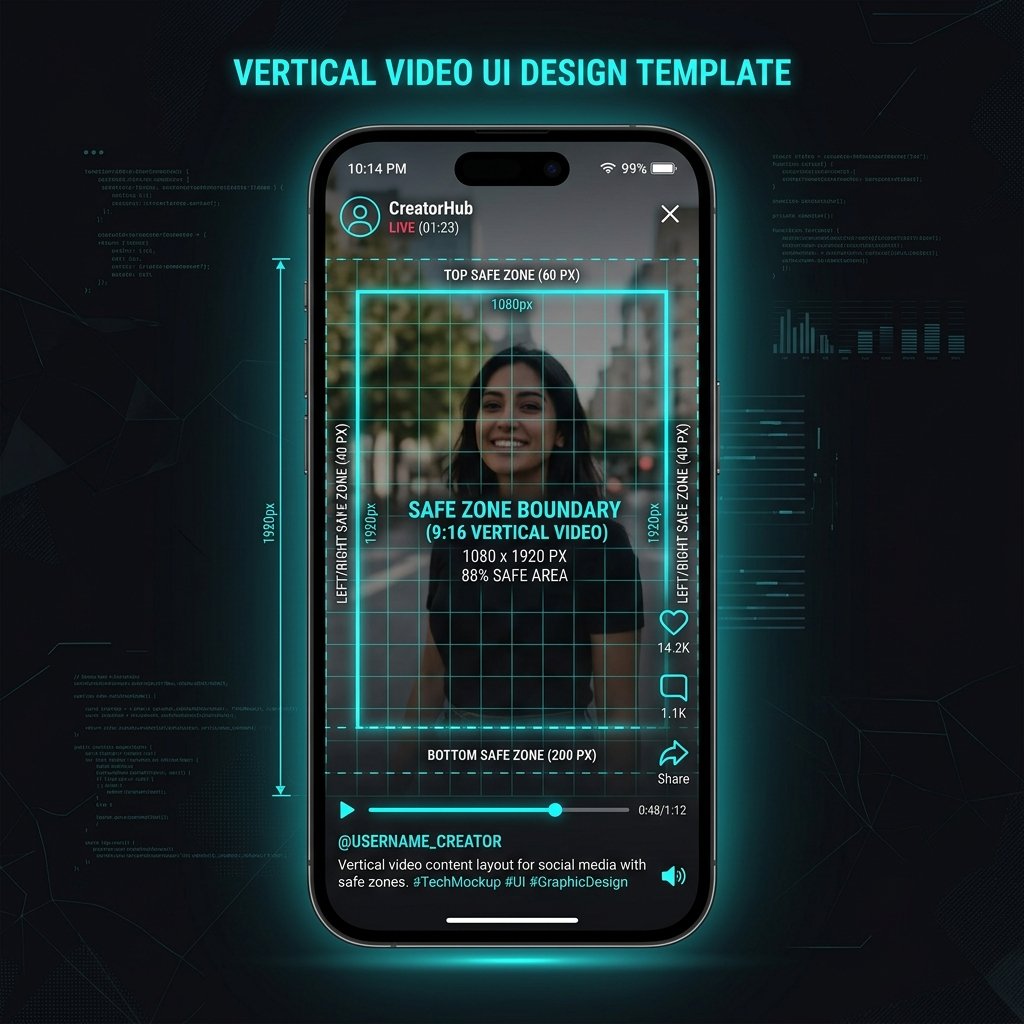
Filming vertical video on your phone is only the first step in creating Facebook Reels that actually convert viewers into followers. Meta's mobile playback interface is covered with interactive UI elements—creator handles, follow buttons, captions, audio credits, like counts, and comment bubbles—that obscure up to 35% of the total screen canvas.
If your video places critical callout text, subtitles, or facial focal points inside these UI danger zones, viewers cannot read your message and will swipe past in two seconds. Here is the technical breakdown of how to build perfectly framed Reels.
The Exact Dimensions: 1080 x 1920 Pixels (9:16)
Facebook Reels operate on a strict 9:16 aspect ratio. While horizontal 16:9 or square 1:1 videos can technically be uploaded, Meta displays them letterboxed with black bars, cutting viewer engagement by more than half.
- Canvas Resolution: Exactly 1080 pixels wide by 1920 pixels tall.
- Decimal Ratio: 0.5625.
- Frame Rate: 30 fps for standard dialogue, 60 fps for dynamic choreography or gaming.
- File Format: MP4 with H.264 video and stereo AAC audio.
The UI Danger Zones You Must Avoid
When your Reel plays on an iOS or Android device, three distinct screen zones are covered by Facebook's interactive interface:
- Top 220 Pixels: Covered by the back arrow, search button, camera shortcut, and audio pill. Never place your main video title or logo above Y=240px.
- Bottom 420 Pixels: The most congested zone on screen. This block holds your username, the follow button, two to three lines of caption text, and scrolling audio track metadata. Keep subtitles above Y=1500px.
- Right-Hand Rail (130 Pixels): Hosts the vertical stack of action icons: like heart, comment icon, share arrow, and remix buttons. Avoid placing critical visual elements along the right edge.
Ready to download or archive Facebook video in 4K?
Experience unthrottled downloads, high fidelity audio conversion, and batch processing directly from Meta CDNs with FB4KDownloader.
Open FB4KDownloader Home